Home
» Knowledge
»
“Slippage Tolerance Exceeded” Error on CEXs and DEXs: How to Fix It
“Slippage Tolerance Exceeded” Error on CEXs and DEXs: How to Fix It
Short answer: The “slippage tolerance exceeded” error means the market moved farther than the maximum price difference your order was allowed to accept before execution. Do not fix it by immediately setting an extreme percentage. First confirm that the order did not fill, refresh the quote or order book, check price impact and liquidity, and reduce the order size or use a limit order when possible. Increase tolerance only when the pair is known to be volatile, the token and route are verified, and you consciously accept a worse execution price.
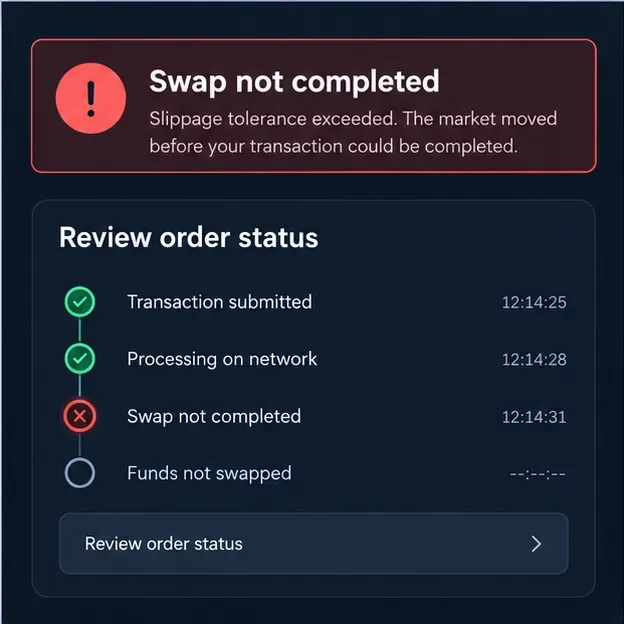
A failed swap screen shows why the first action is to check whether funds moved before retrying.
What the error actually means
Slippage is the difference between the price you see when submitting an order and the price at which it executes. A quote is not always a locked price. On a DEX, another trade can change the pool balance before your transaction is processed. On a CEX, a market order consumes available bids or asks in the order book, and the next available level may be less favorable than the first one.
Slippage tolerance is your maximum acceptable deviation from the quote. For example, if a DEX quotes 1,000 USDC for a token and you set 0.5% tolerance, the transaction generally needs to return at least 995 USDC worth of output, subject to the platform’s exact implementation. If the executable result falls below that threshold, the smart contract rejects the swap rather than completing it at a price you did not approve.
Raydium’s documentation makes an important distinction: slippage tolerance is a protection buffer around price impact, not the same thing as price impact. Its error reference describes ExceededSlippage as a price moving past the configured tolerance. PancakeSwap similarly describes slippage as the maximum price difference allowed before a trade is canceled. See the Raydium explanation of slippage and price impact and the PancakeSwap slippage documentation.
Four checks to make before retrying
1. Confirm that the order really failed
Check the exchange’s order history, wallet activity, and—on a DEX—the transaction status in the relevant block explorer. A pending transaction is not the same as a reverted transaction. Do not submit a duplicate order while the first one may still be processing. If the transaction reverted, the token swap did not complete, but network fees may still have been charged. PancakeSwap warns that a failed transaction can consume gas even when the trade is not completed.
2. Refresh the quote and inspect the details
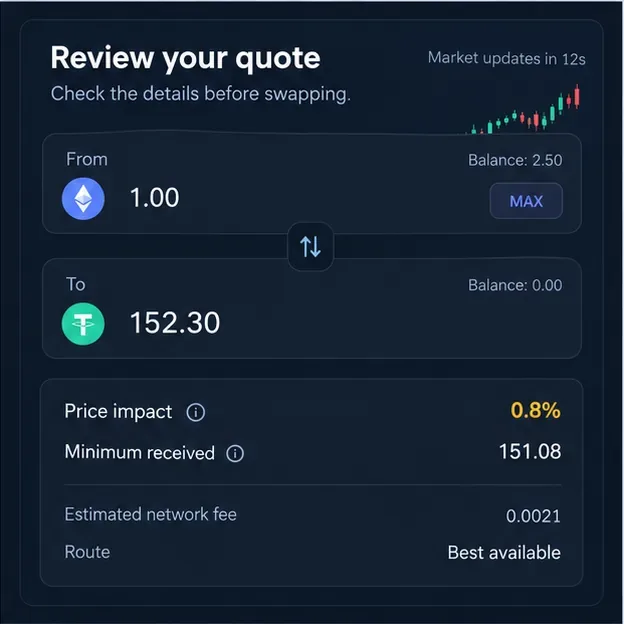
Open the swap or order preview again instead of reusing a stale quote. Look for price impact, minimum received, estimated fees, route, and any warning about low liquidity. A tolerance failure can be caused by a short-lived price move, but a large price impact indicates that the order itself is too large for the available liquidity. Raising tolerance does not make that underlying trade cheaper.
Review the refreshed quote for price impact, minimum received, fees, and route quality before changing the tolerance.
3. Reduce the size or choose deeper liquidity
Try a smaller amount, split the order into several smaller trades, or select a more liquid market or route. This is usually the most appropriate fix when price impact is high. It is also useful for thin CEX order books: a smaller market order reaches fewer distant price levels.
Splitting is not automatically better. Each transaction can create a separate network fee, trading fee, or spread cost, and the market can move between pieces. Compare the total cost with the expected improvement in execution.
4. Choose a bounded setting or a limit order
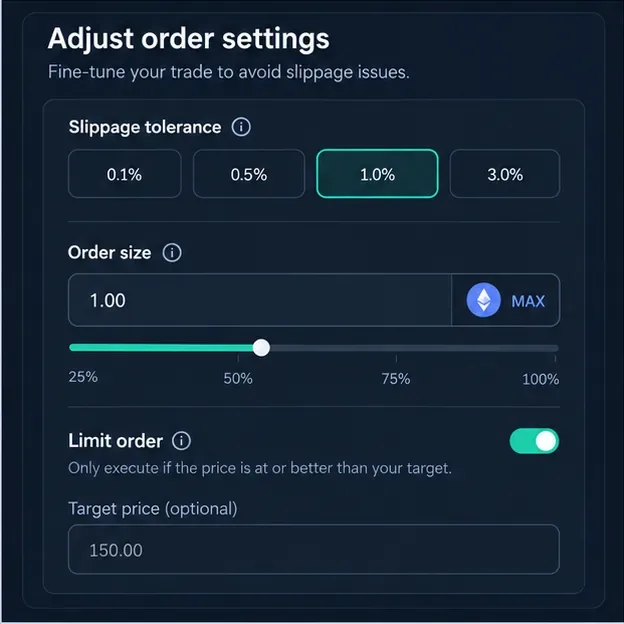
For a DEX, use the platform’s automatic setting if you understand how it is determined, or enter the smallest fixed tolerance that fits the pair’s normal volatility. For a CEX, a limit order is often clearer: define the highest price you will pay when buying or the lowest price you will accept when selling. A limit order may remain unfilled, but that is preferable to an execution outside your intended price.
Adjust the order size and tolerance together; the limit-order option can provide a stricter price boundary where supported.
How to fix the error on a DEX
DEX interfaces differ, so the label and default can change by chain, router, wallet, or app version. Jupiter’s current user documentation says its market swaps handle routing, slippage, and MEV protection through Jupiter Ultra, while other DEXs expose a manual field. Treat the displayed quote and transaction preview as the authority for the specific trade.
Refresh after a fast move. If price impact is low and the pair is liquid, the quote may simply be stale. Refresh once, verify the output, and retry only after confirming the prior transaction’s status.
Lower the trade size. A large order against a shallow pool can move the pool price substantially. Reduce the amount or find a deeper pool before considering a higher tolerance.
Use automatic slippage carefully. Automatic slippage can respond to volatility, but it is not a guarantee of a good price. Review the resulting minimum received value, not just the percentage.
Keep the buffer bounded. A high tolerance gives the transaction permission to accept a worse outcome. 1inch warns that excessive tolerance can increase exposure to sandwich or front-running attacks, while a tolerance that is too low can make a volatile trade fail and still cost gas. Read its slippage tolerance guidance for the platform’s explanation.
Consider execution priority separately. On congested networks, a priority fee can help a valid transaction be included sooner, but it cannot repair high price impact or insufficient liquidity. Only change it when the app explains the fee and you accept the added cost.
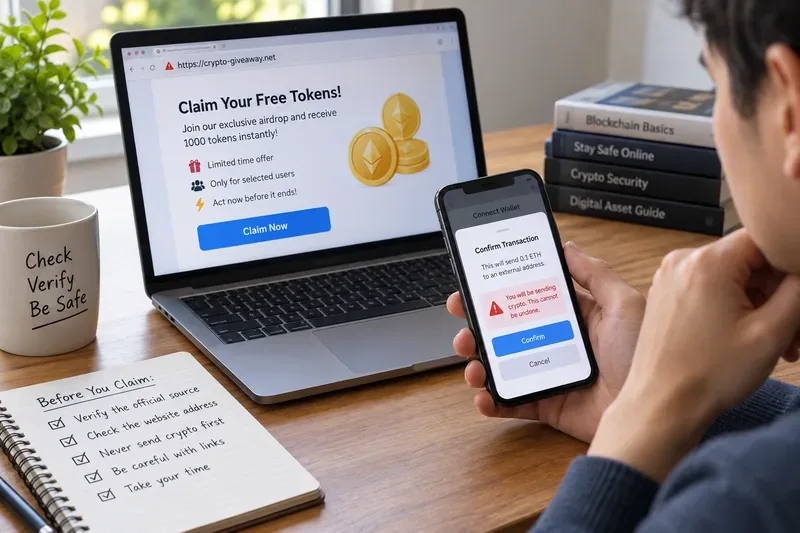
Be especially careful with unfamiliar tokens. Transfer taxes, rebasing behavior, restricted transfer rules, or a malicious contract can make a normal tolerance setting inappropriate. Verify the token address from a trusted project source, and test with a small amount. Never use an extreme tolerance merely because a social post or unknown website recommends it.
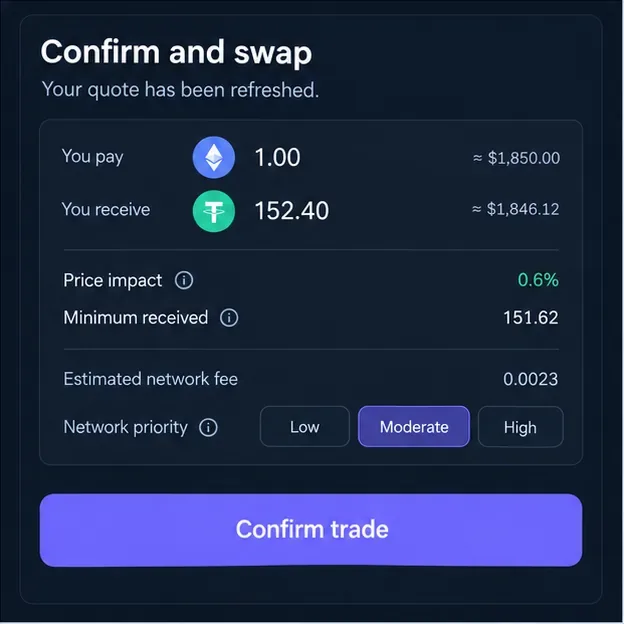
Confirm only after the refreshed quote, minimum received amount, and network cost match your intended risk.
How to fix the error on a CEX
On a centralized exchange, the phrase “slippage tolerance” may refer to a specific protection feature rather than a universal setting. The safest response depends on the order type and product.
Market order: A market order seeks execution at the best available prices, not necessarily the price visible when you click. Coinbase explains that market orders can fill across available prices and that its market protection can stop excess execution; the exact protection point varies by product and pair. For a large or thinly traded pair, reduce the quantity, split the order, or use a limit order.
Binance spot slippage tolerance: Binance documents a spot feature in which a market order with slippage tolerance is submitted as an IOC limit order. It can fill immediately within the allowed range, while the unfilled remainder is canceled. That behavior is useful when you want a market-like attempt without allowing an indefinite price drift. Check the exchange’s current order preview and Binance slippage tolerance instructions because availability and interface labels can change.
Limit order: A limit order sets the maximum buy price or minimum sell price. It may not fill, especially when the market is moving away from your limit, but it gives you a direct price condition. Coinbase’s official order-type guide describes limit orders as executing at the specified price or better, subject to available liquidity and order matching.
For futures, margin, stop-market, and leveraged products, do not transfer a spot-market rule directly. Check the product-specific liquidation, trigger, mark-price, and protection rules. A failed or partially filled order can change your exposure, while repeatedly widening execution limits can increase risk quickly.
Slippage versus price impact: the distinction that prevents bad fixes
Price impact is the effect your own trade has on the quoted market because of its size relative to liquidity. Slippage can also result from movement between quote and execution. Consider this example:
Observation
Likely cause
Better response
Price impact is 0.2%, but the quote expires during a volatile move
Temporary market movement
Refresh and use a small, bounded tolerance
Price impact is 4% before submitting
Order is too large for available liquidity
Reduce size, split carefully, or find a deeper market
CEX asks become much more expensive above the top level
Thin order book
Use a limit order or smaller slices
Transaction remains pending
Network or exchange processing delay
Check status and avoid a duplicate submission
The Coinbase explanation of slippage and spread also notes that low liquidity and low trading activity can increase slippage. The practical lesson is simple: tolerance controls what price you are willing to accept; it does not create liquidity.
When is increasing slippage tolerance reasonable?
It can be reasonable when all of the following are true: the token pair is verified, the route is liquid enough for the order, price impact is low, the market is moving quickly, you understand the minimum received amount, and the trade is small enough that a bad fill will not materially harm you. Raise the setting only enough to cover the movement you expect, then inspect the final preview.
It is usually a poor choice when the pair is illiquid, the price impact is already large, the token is unfamiliar, the contract has unusual transfer mechanics, or the interface warns about MEV or price risk. In those cases, the error is useful information: pause and change the trade, not just the number.
Quick troubleshooting checklist
Confirm whether the original order is filled, pending, canceled, or reverted.
Verify the wallet, exchange account, token contract, pair, and direction of the trade.
Refresh the quote or inspect the current CEX order book.
Check price impact, minimum received, fees, route, and available liquidity.
Reduce the order size or use a deeper market if impact is high.
Prefer a limit order when a strict price matters more than immediate execution.
Use the smallest bounded tolerance that fits the market; do not copy a universal percentage.
Review network or exchange fees, submit once, and verify the resulting transaction or fill.
Bottom line
The error is a price-protection alert, not proof that the platform is broken. On a DEX, it normally means the output would fall below the transaction’s minimum; on a CEX, it may mean a market order cannot fill within the exchange’s protection rule or that a limit-style condition was not met. Refresh first, diagnose liquidity and price impact, reduce size or switch to a limit order when appropriate, and widen tolerance only when the trade’s risk is understood.
Information checked against the linked official documentation on September 16, 2026. Interface names, defaults, supported order types, and protection rules can vary by platform, asset, region, and later product updates. This article is educational and is not financial advice.