Binance Dual Investment Explained: Risks and Rewards
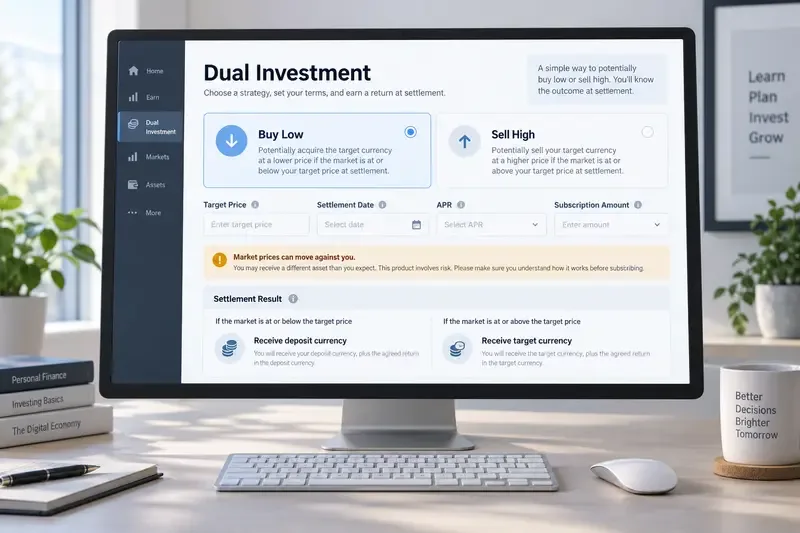
Learn how Binance Dual Investment works, including Buy Low, Sell High, settlement, APR, liquidity limits, market risk, and Auto-Compound.
If Binance says your withdrawal is suspended, the fastest fix is not to keep retrying the same transaction. First identify whether the restriction applies to one coin or network, one destination address, or your entire account. Binance treats these situations differently, and the correct response depends on the exact message you see.
As of September 16, 2026, Binance's official help pages still separate temporary wallet or network suspensions from account-level security restrictions. Its crypto withdrawal guide was updated on August 24, 2026, and continues to emphasize correct network selection, address checks, required Memo/Tag fields, security verification, and transaction-history monitoring. See Binance's official crypto withdrawal guide and withdrawal suspension guidance.
Illustrative example only: Maya wants to move 500 USDT from Binance to a self-custody wallet. She opens the withdrawal page and sees a restriction message. This is not a real customer story or a test result; it is a hypothetical case used to show how the troubleshooting process works.
Maya's first mistake would be to assume that every “withdrawal suspended” message means the same thing. A temporary TRON or Ethereum network pause is different from an account-security lock, and both are different from a whitelist delay or an invalid destination address.
Start by reading the message on the withdrawal screen. If only one asset or network is unavailable, Binance may be performing wallet maintenance, supporting a network upgrade, or waiting for a blockchain network to stabilize. Binance says that when a specific asset is affected, the withdrawal page may show the reason and an estimated recovery time, and it may offer a reminder option.
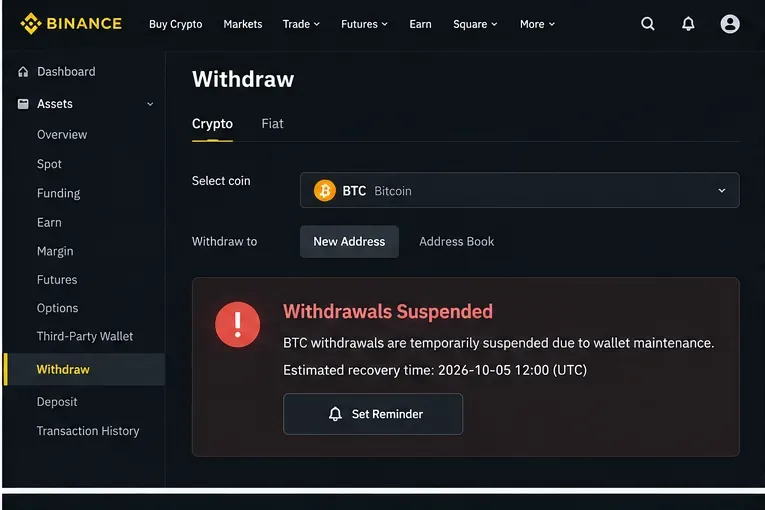
For Maya, suppose USDT on one network is unavailable but another supported network remains selectable. She should not simply choose the cheapest alternative. The destination wallet must support the exact network selected on Binance. Binance warns that sending assets over an incompatible network can result in loss. The receiving platform or wallet should be checked before changing networks.
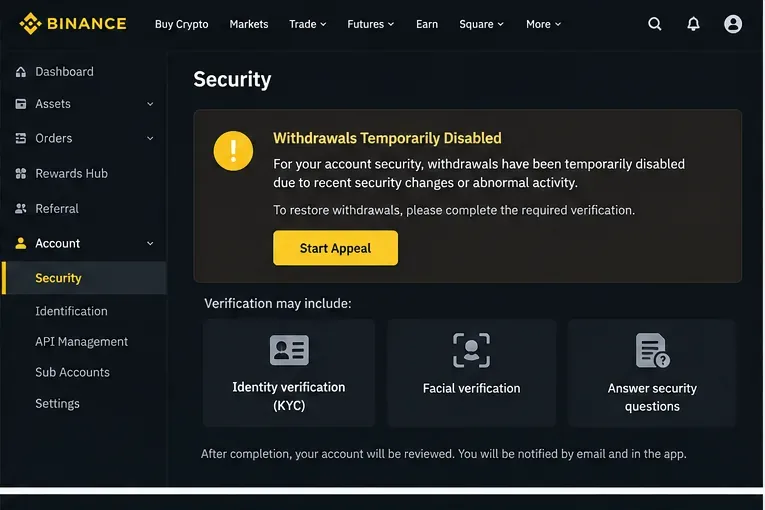
If all coins appear blocked, or the message refers to account security, risk review, identity verification, or an appeal, treat the problem as account-specific instead of waiting for a network to reopen.
Binance can temporarily disable withdrawals after certain security operations or when its systems detect activity that requires additional review. Its withdrawal reactivation guidance says some security operations can trigger a 24- to 48-hour suspension and that these timed holds cannot be lifted early. The same page describes possible reviews for abnormal activity or suspected scam-related patterns.
Password changes are a concrete example. Binance's password reset instructions, updated April 14, 2026, state that withdrawals are disabled for 24 hours after a password reset. If Maya reset her password this morning, repeated withdrawal attempts will not bypass that protection; she must wait for the stated period to expire.
Identity verification can also matter. Binance states that incomplete identity information can temporarily suspend withdrawals and may require the user to provide additional information through Support. See Binance's identity verification FAQ.
Use only the appeal or verification flow shown inside the official Binance website or app. Follow the specific request on screen instead of guessing which documents are needed. If the page says the restriction is under review, preserve the relevant email or in-app notice and monitor the stated channel for the outcome.
If your account is otherwise usable, check whether the withdrawal whitelist is enabled. With that setting on, Binance allows withdrawals only to addresses on the whitelist. Binance also documents a “Whitelist Withdrawal Limit” that can delay withdrawals to newly added addresses for a selected period.
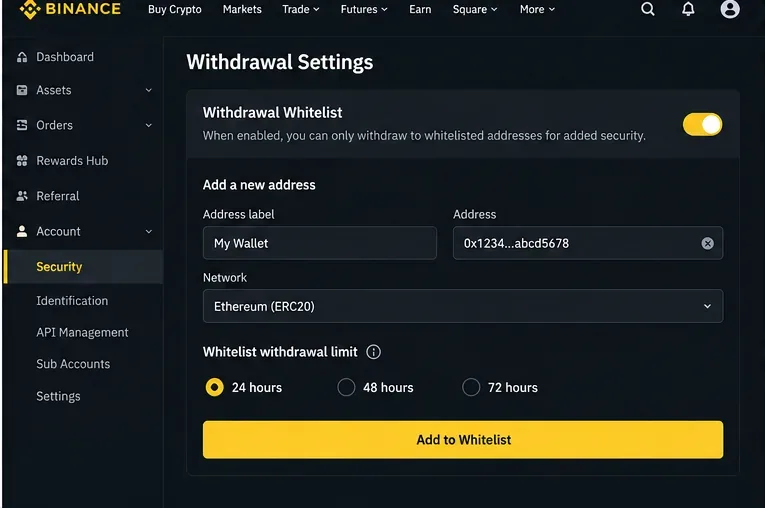
Binance's withdrawal settings documentation says whitelist changes may lead to a temporary suspension and describes 24-, 48-, or 72-hour limit options. If Maya just added a new wallet and her account uses a whitelist delay, the right action is to confirm the address was added correctly and wait for the configured period rather than repeatedly deleting and re-adding it.
Also verify that the saved address belongs to the intended network. A label such as “My Wallet” is only a convenience; it does not prove that the address supports every token or network.
Once the suspension itself is cleared, review the transaction from the beginning. Binance's official withdrawal flow asks users to select the asset, enter or choose the destination address, confirm the network, enter the amount, review the fee and final amount, and complete passkey or two-factor authentication when prompted.
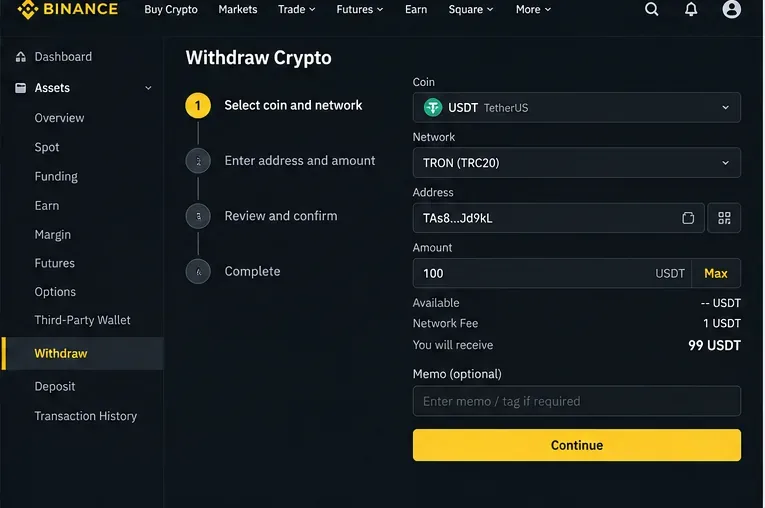
For Maya, the safest retry is to copy the receiving address from her wallet, verify that the wallet supports the same network selected on Binance, and check whether a Memo, Tag, or payment ID is required. Binance's unsuccessful withdrawal FAQ explains that an invalid address or invalid Memo should be corrected with information from the recipient. It also notes that a “network busy” message can indicate congestion and suggests trying later or using another network only when that alternative is compatible.
For a new destination, consider sending a small test amount first when the network and fee structure make that practical. Binance's current withdrawal guide specifically recommends a small first transfer to verify a new address. A successful test does not eliminate all risk, but it can catch address or network mistakes before a larger transfer.
| What you see | Likely category | What to do |
|---|---|---|
| Only one coin or network is unavailable | Wallet maintenance, network upgrade, or network stability issue | Read the notice, check the estimated recovery time, use the reminder option if available, and wait or choose only a compatible supported network. |
| All withdrawals are disabled after a password or security change | Security hold | Wait for the stated hold to expire. Binance documents 24-hour holds after password resets and 24–48 hours for some other security operations. |
| Message mentions risk, abnormal activity, fraud, or review | Account risk review | Follow the official verification or appeal flow and monitor Binance's stated email or in-app channel. |
| Identity verification is incomplete | KYC/identity restriction | Complete the requested identity steps or provide additional information through official Binance Support. |
| New address cannot receive a withdrawal | Whitelist or whitelist-delay rule | Confirm the address is whitelisted and wait for any configured 24/48/72-hour limit. |
| Address, Memo, or network error | Transaction-input problem | Confirm the receiving address, supported network, and required Memo/Tag directly with the recipient wallet or platform. |
| Withdrawal submitted but not yet received | Processing or blockchain confirmation delay | Check withdrawal/transaction history and the transaction status. This is not necessarily a suspension. |
A withdrawal can be successfully submitted yet still take time to appear at the destination. Binance says that after a request is confirmed, blockchain confirmation time varies with the network and its traffic. If the status is processing or a transaction ID has already been generated, do not treat that automatically as an account suspension. Check transaction history first.
Likewise, a withdrawal page warning about an invalid address is not the same as an account lock. Fix the input rather than starting an account appeal. Matching the error to the correct category prevents unnecessary changes that can introduce new security delays.
Maya can resolve the problem methodically: first, she checks whether only one network is suspended. If the restriction is account-wide, she checks whether she recently reset her password or received a risk-review or identity-verification prompt. If the account is clear, she checks whitelist settings and any delay on the new address. Only after the restriction is gone does she rebuild the withdrawal carefully with the correct network, address, Memo/Tag, amount, and security verification.
That same sequence works for most users because it separates platform availability, account security, destination controls, and transaction details. It also reduces the chance of “fixing” the wrong problem. If Binance provides a specific on-screen reason or appeal path, treat that message as the primary instruction because account-specific restrictions can differ and Binance does not publicly disclose every internal risk-control trigger.
Learn how Binance Dual Investment works, including Buy Low, Sell High, settlement, APR, liquidity limits, market risk, and Auto-Compound.
Learn why Binance withdrawals may be suspended, how to identify account or network restrictions, and the safest steps to restore access or retry.
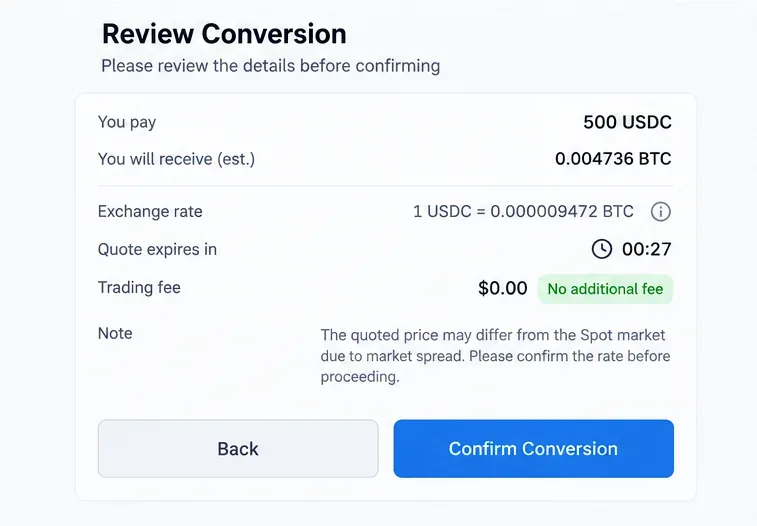
Learn how crypto exchange Convert tools work, when a swap is truly zero-fee, how to compare quotes and spreads, and how to complete a conversion safely.
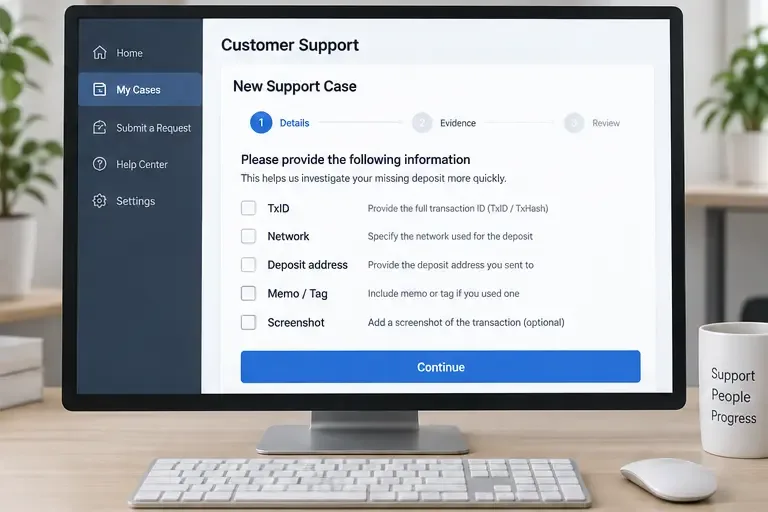
Missing a crypto deposit on Coinbase or Binance? Check confirmations, network, address, memo or tag, and the correct recovery path.
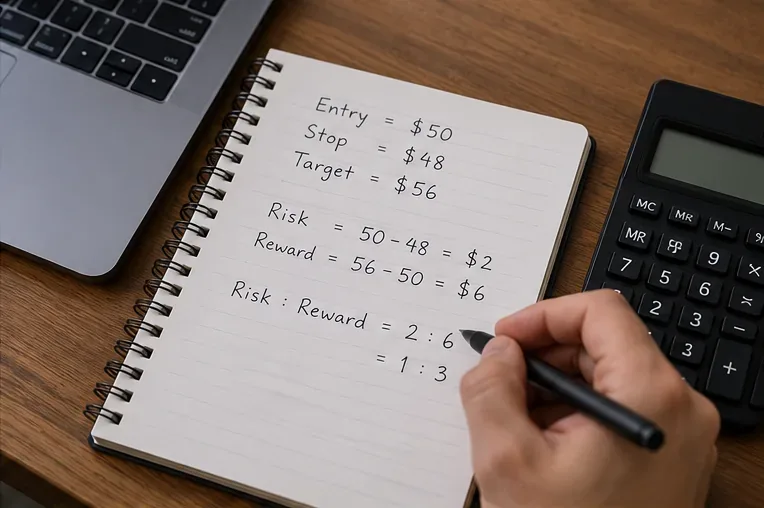
Learn how to calculate crypto risk-to-reward ratios, size positions, account for fees and slippage, and use R-multiples to manage trades consistently.
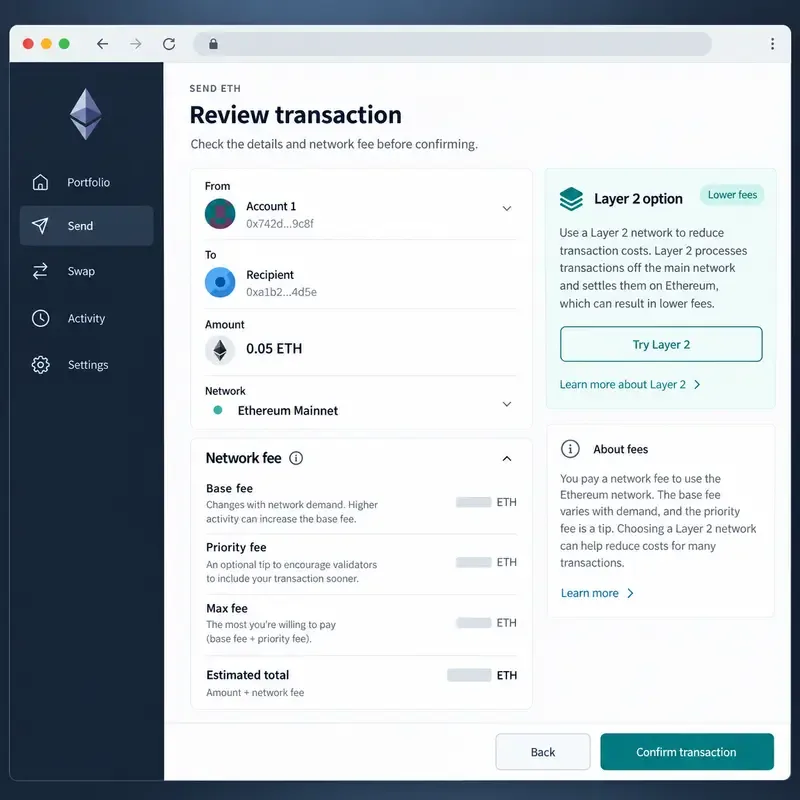
Learn how Ethereum gas fees work, what base fees and priority fees mean, and practical ways to reduce transaction costs safely.
Learn how to verify crypto founders and developers using public, independent evidence without doxxing, exposing private data, or risking your wallet.
Learn how to take profits on meme coins using staged exits, liquidity checks, risk limits, tax awareness, and clear rules before a sharp reversal.
Learn how crypto DCA works in bear markets, what risks it can reduce, what it cannot protect you from, and how to build a disciplined plan without mistaking it for safety.
Learn how to read crypto candlestick patterns using OHLC, candle bodies, wicks, trend context, confirmation, and risk controls—without treating patterns as guarantees.